███╗   ██╗██╗██╗  ██╗██████╗ ██╗     ██╗████████╗███████╗
████╗  ██║██║╚██╗██╔╝██╔══██╗██║     ██║╚══██╔══╝╚══███╔╝
██╔██╗ ██║██║ ╚███╔╝ ██████╔╝██║     ██║   ██║     ███╔╝
██║╚██╗██║██║ ██╔██╗ ██╔══██╗██║     ██║   ██║    ███╔╝
██║ ╚████║██║██╔╝ ██╗██████╔╝███████╗██║   ██║   ███████╗
╚═╝  ╚═══╝╚═╝╚═╝  ╚═╝╚═════╝ ╚══════╝╚═╝   ╚═╝   ╚══════╝
A Bitcoin / Lightning node on NixOS — install with one command, configure with a TUI, run on x86 or Pi 5. No Nix knowledge required.
NixBlitz has NOT received a thorough security review. Don't use it for production funds. Run on regtest in a VM or on dedicated hardware you're okay reinstalling. Things will break.
Boot a live image, run one command, walk a three-question wizard, reboot into a working node. On x86 the live image is stock NixOS from nixos.org — NixBlitz isn't baked in, the TUI bootstraps over the network. Pi 5 currently uses a third-party live image (a NixBlitz-branded Pi 5 image is on the roadmap).
nix run git+https://forge.f44.fyi/f44/nixblitz_ng \
  --experimental-features "nix-command flakes" \
  --no-write-lock-file --refresh
- 1.Boot the NixOS 25.11 minimal ISO (or the Pi 5 live image).
- 2.Run the bootstrap above. The TUI launches in install mode.
- 3.Pick disk, network (mainnet / regtest), Lightning backend.
- 4.`disko-install` partitions, copies, installs the bootloader.
- 5.Reboot. First-boot wizard sets the admin password and brings services up.
- 6.Back up the LND seed when prompted. Done.
[>] full installation walkthrough— x86 + Pi 5, troubleshooting, command listings
Bootstrap from a stock NixOS ISO into the install wizard. Placeholder — a recording of the real wizard run lands here soon.
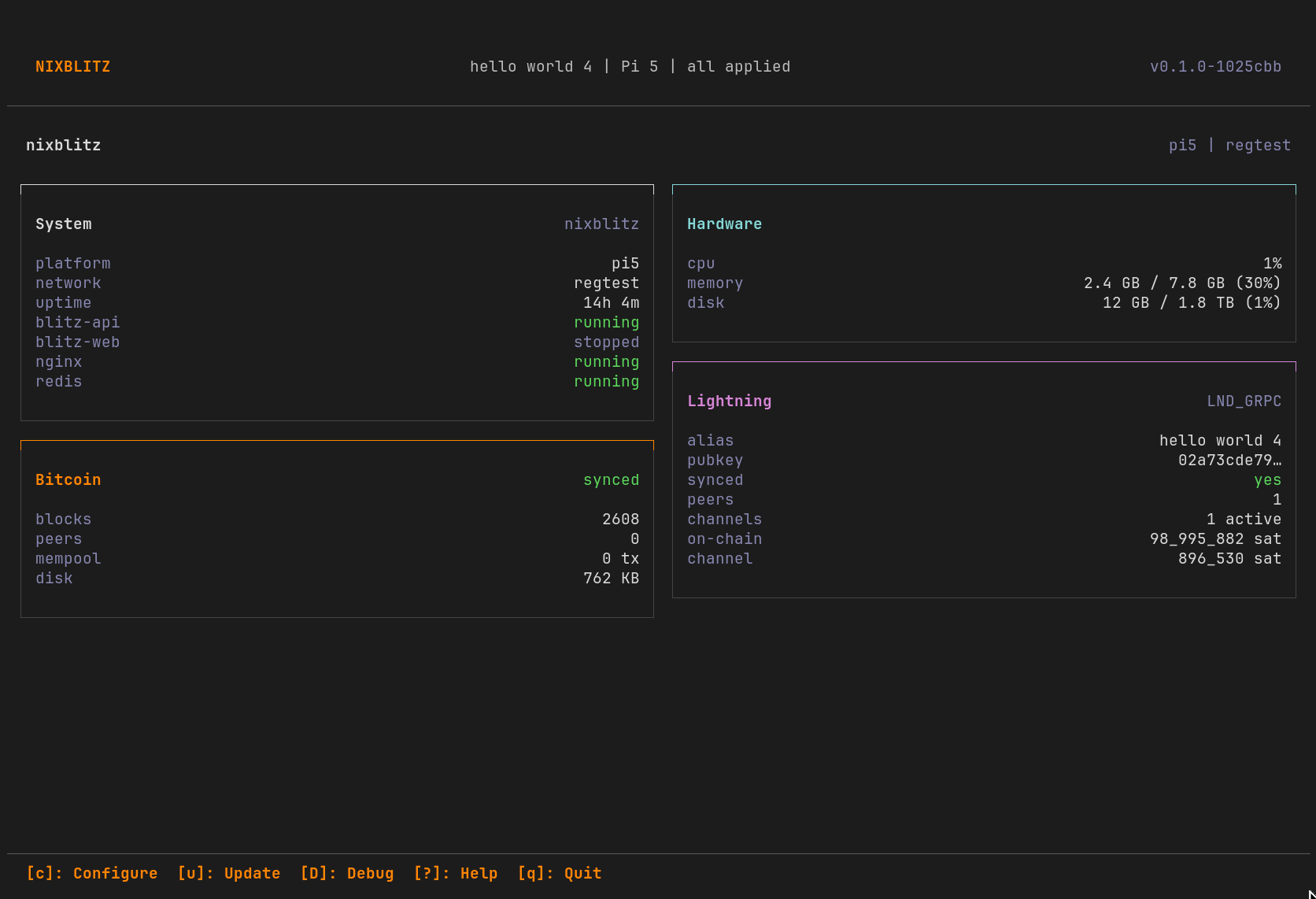
A single binary on `tty1` (auto-login on the installed system). Re-run any time over SSH. Three regions:
- headerNIXBLITZ | <alias> | <platform> | <pending status> | <version>
- mainTile grid: System, Hardware, Bitcoin, Lightning, plus any plugin tiles.
- footerKeybind hints — only shown when their action applies.
Live updates flow over SSE from blitz-api: sync %, peer counts, channel balances. Built-in tiles seed from REST on startup so the first paint isn't empty.
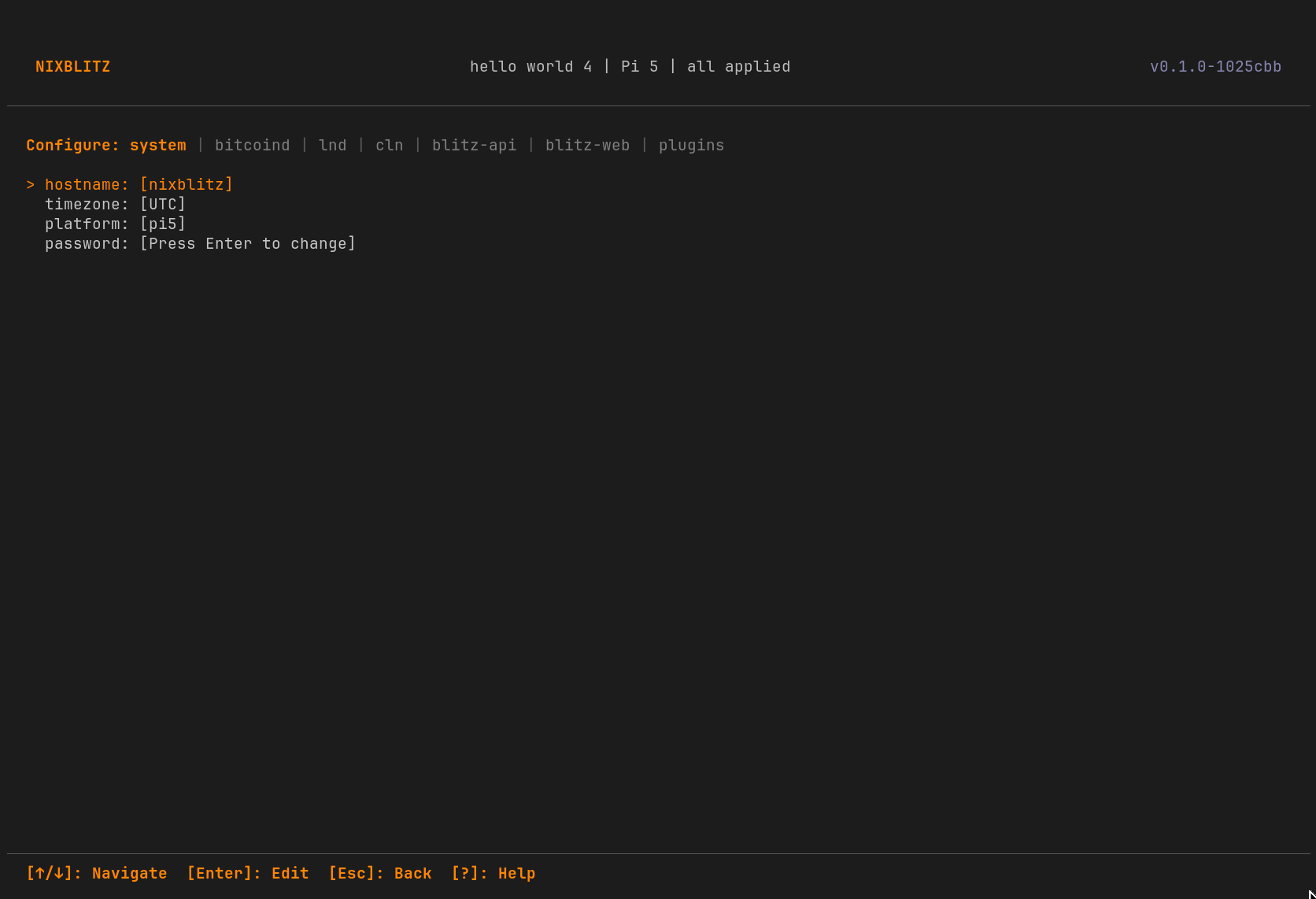
Two distinct steps. Configure edits values in memory and on disk; Apply commits + rebuilds NixOS.
- Press `[c]` from the dashboard. Tab through service tabs (system, bitcoind, lnd, …).
- Edit values inline. Each row that differs from the last Apply gets a yellow `*` marker.
- The header status flips from `all applied` to `X pending` as you go.
- Press `[a]` Apply. Review the unified `git diff`, confirm.
- TUI runs `nixos-rebuild switch`, streams output live, reports success/partial/failure.
Every Apply is a git commit. To roll back: `git revert <hash>` then `[a]` again. NixOS generations also stick around — `nixos-rebuild switch --rollback` works without the TUI.
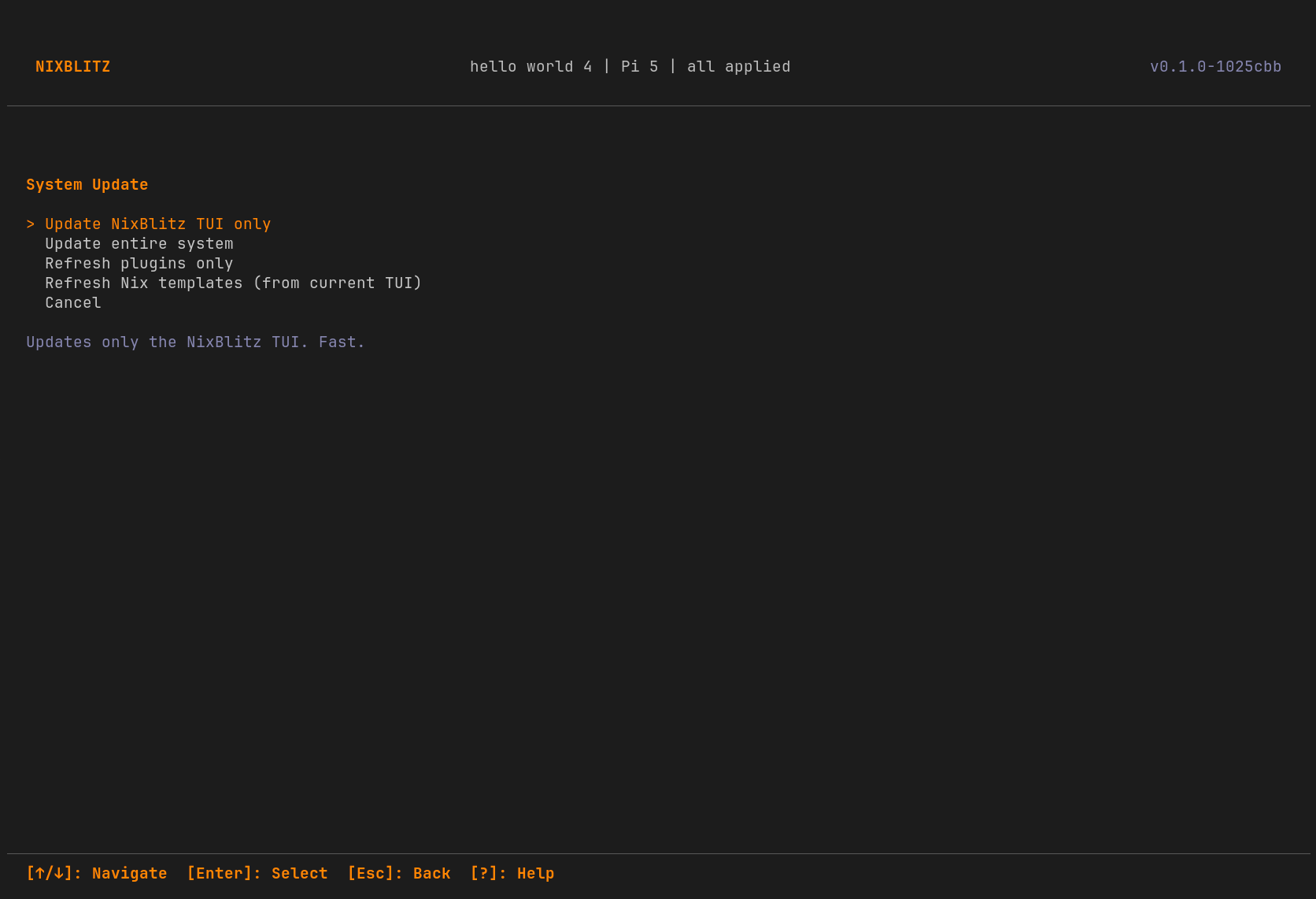
Press `[u]` from the dashboard. The Update view pulls upstream HEAD for each flake input (nixpkgs, nix-bitcoin, etc.), shows what would change, and offers a single rebuild step.
- Daily lightweight check (`nixblitz check light`) hits each input's API for branch HEAD.
- Weekly heavy check probes the cache via `nix build --dry-run`; runs `nvd diff` for a per-package version delta when every path is substitutable, otherwise reports a would-build list so a compile-needed rebuild doesn't catch you by surprise.
- A dashboard banner surfaces results: `updates available — checked Xh ago`.
- Any unapplied Configure changes are applied during the same rebuild — one transaction.
- Plugin updates flow through the same path: `nixblitz plugin refresh` per plugin or system-wide.
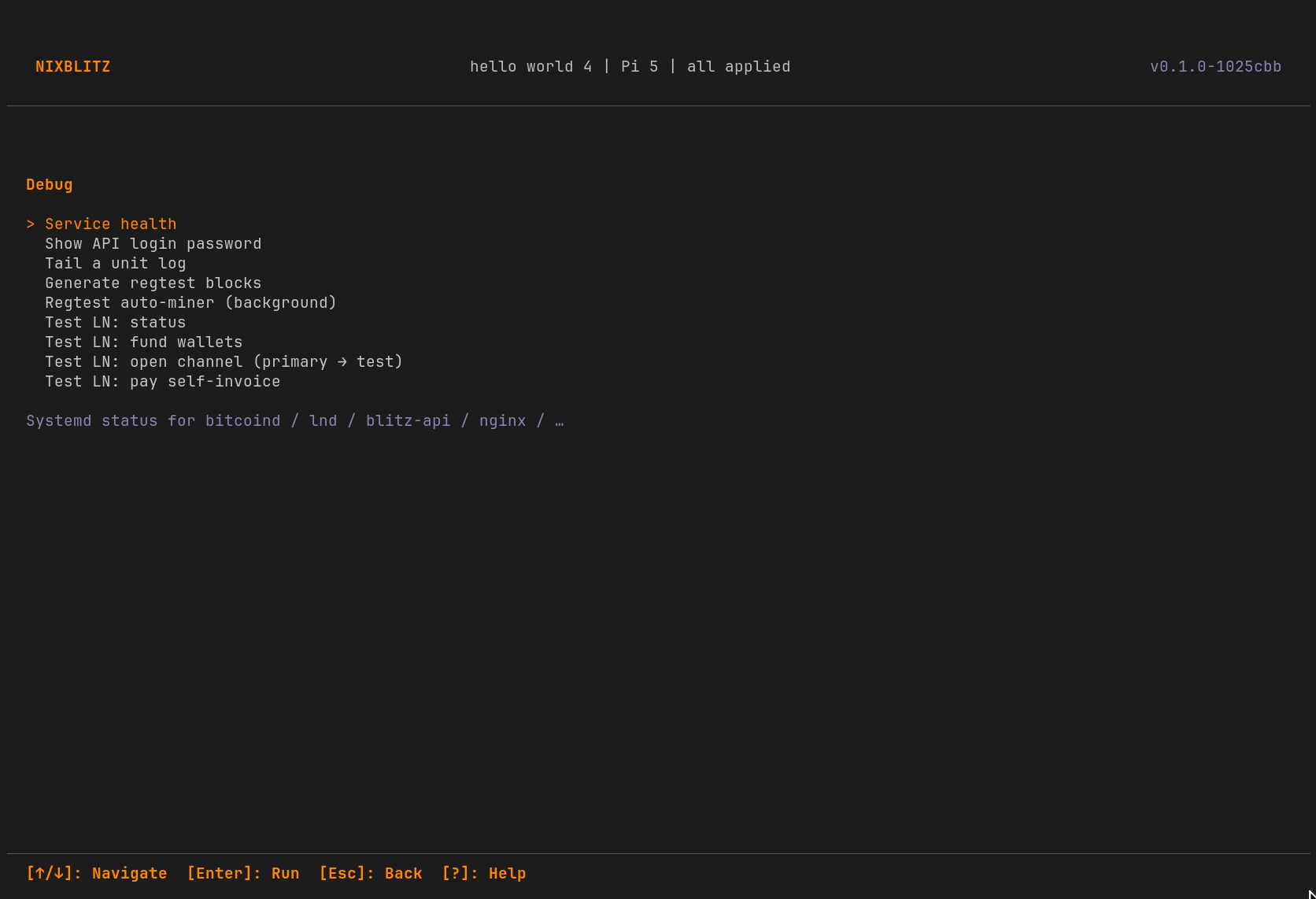
`Shift-D` from the dashboard. For diagnosing problems and exercising regtest flows.
- Service health: per-unit status, restart, journal tail.
- Generate regtest blocks (numeric input, mine N).
- Regtest auto-miner — transient systemd unit, mines on a random cadence, survives TUI exit.
- Test-LND helpers: status, fund, open channel, pay self-invoice (regtest only).
- Plugin actions: `command:` runs as admin; `unit:` dispatches a Type=oneshot service via sudo.
Three operator-focused docs cover the rest. They live next to this site so anything that lands here will land there too.
- [>] installationStock NixOS ISO → working node, x86 + Pi 5 walkthrough.
- [>] architectureMental model: config.json is truth, NixOS follows.
- [>] pluginsManifest, two-stage plugin.nix ABI, worked examples.